Designed emails
Design campaign emails in the besigner — the same editor you use for pages — with an email-safe block set. There is no separate email editor to learn.
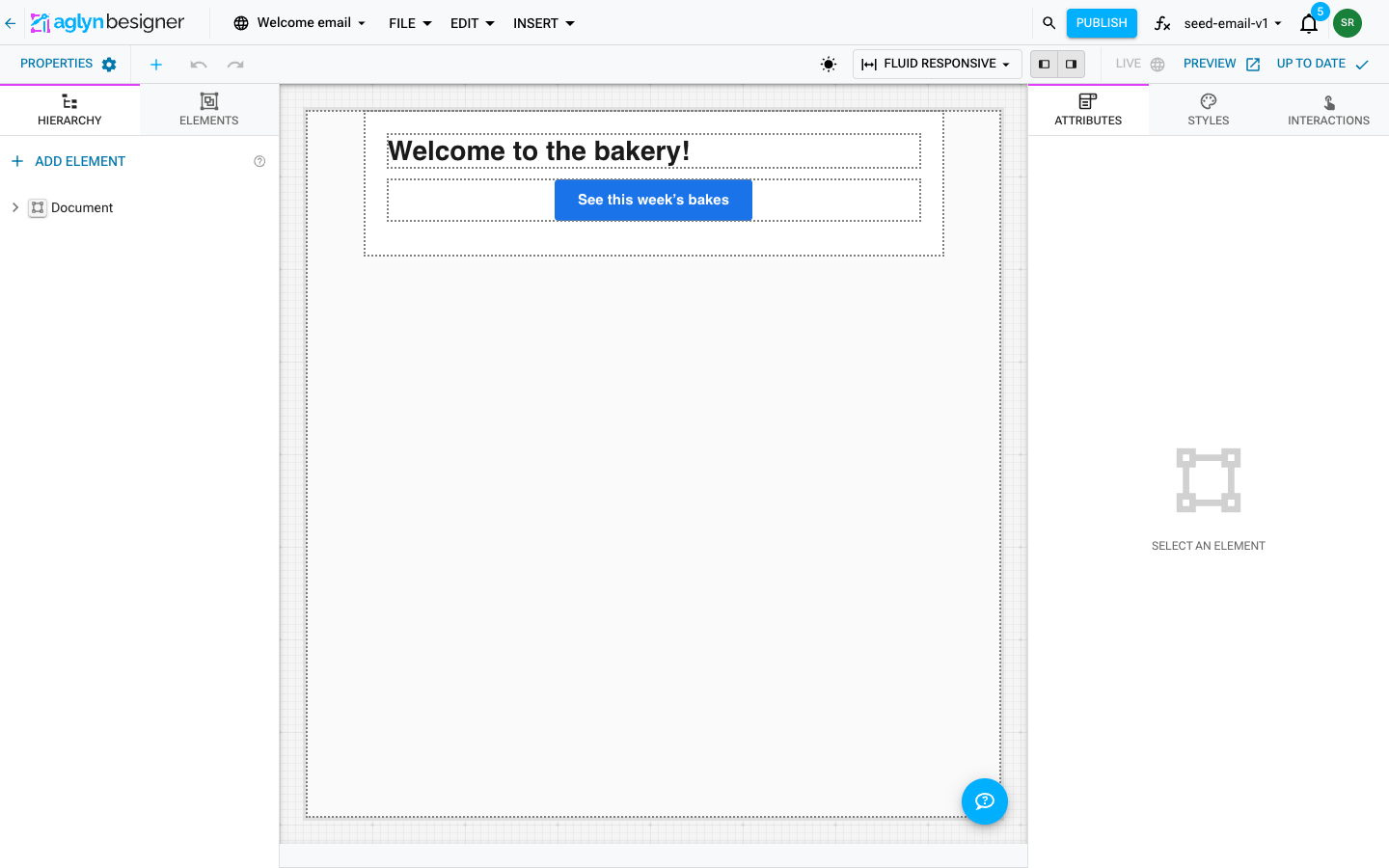
Create a template
On Marketing → Email, click New email template. That creates an email document and opens it in the besigner with the email blocks:
- Email section — the 600px container with background and padding.
- Email text — heading/subheading/body/caption styles; supports merge tokens.
- Email rich text — formatted HTML (sanitized like the custom HTML block).
- Email image, Email button, Email divider, Email spacer — the essentials, rendered in email-client-safe markup.
- Email product — pick a product by id; its current name, price, and image fill in at send time (renames never break it).
- Email custom HTML — raw table markup for advanced layouts, sanitized.
Find a template
The templates table filters through its toolbar by Template, the name (it contains a word, it is, or it starts with), and Search matches the start of any word of a template's name, up to its first twelve characters. The filters and the search are asked of the site's templates themselves, so they reach every template the site holds, a page at a time in name order, not only the page on screen. A name that contains a word and Search both match words of the name, so only one of them applies at a time; a note above the table says which was set aside. The Origin column shows whether a template is yours or installed from a listing, but it is not a filter.
On your organization's Emails page the same filters and search run on each site's templates, and the Site filter (is, is any of) chooses which sites are read: any of your sites, wherever it sits in the pages of sites. Without it, the table reads the page of sites the Sites picker shows. It lists up to 50 matching templates from each site; where a site has more, the note under the table says so and links to that site's own list. See Filter and search a list.
Duplicate a template
Every template on the list has Duplicate… in its row menu. The copy takes the latest saved design whole, under the name you give it, and is sent by nothing until a campaign picks it — so a copy is the safe way to try a variation without touching the design a campaign is already using.
Styling email blocks
The styles panel works on email blocks exactly as on page elements — your edits (fonts, colors, spacing) apply on top of each block's email-safe defaults.
Because email clients run no JavaScript, the attributes panel does not offer the Interactions section while an email document is open — use links (Email button, image links) for anything clickable.
Merge tokens
Use these anywhere in text, rich text, or button links:
| Token | Fills with |
|---|---|
{{contact.firstName}} | Recipient's first name |
{{contact.name}} | Full name |
{{contact.email}} | Email address |
{{site.url}} | Your site's base URL |
{{unsubscribeUrl}} | Signed link to this recipient's email preferences |
Unknown tokens stay visible in the output so a typo shows up in your test send instead of silently rendering blank.
{{unsubscribeUrl}} opens the preference page, where the recipient can
leave just the topic this email belongs to or unsubscribe from
everything. You do not have to place it: a design that carries no
opt-out gets one appended to the bottom of both the HTML and the
plain-text part. Put it in your own footer if you would rather choose
where it sits — the appended one is skipped when your design already
has the link.
Send it
Open the email you want to send and choose Write this email. Set How this email is written to Designed in the besigner, then pick your template under Email design (stored by id — renaming the template never breaks scheduled sends).
An email is written one way or the other, never both. Choosing a design puts the message box away, so a typed message cannot be silently discarded in favor of the design — if you had already typed one, the composer offers it to you as the plain-text version rather than dropping it.
The plain-text version
Every campaign goes out as two alternatives: the styled HTML most people see, and a plain-text version for readers whose mail shows no styling.
- Generated from the design is the default. Buttons and product blocks keep their links in it, and it follows the design as you edit.
- Written here replaces it with your own. Merge tags resolve in it, and the unsubscribe link is added as a plain address at the end.
Editing the design never overwrites a plain-text version you wrote. If the design changes afterwards, the composer says so and offers to take the design's text — nothing is rewritten behind you.
Preview email shows both halves, so you can read the plain-text version before it goes.
- Send test delivers a proof to a real address without recording a campaign.
- Scheduling and A/B experiments work exactly as with plain campaigns.
Start from a brief instead
Generate an email with AI writes a draft design from a description — blocks, copy, and three subject lines to choose between — which you then edit here like any other.