Datasets & Dynamic Content
Datasets are your structured content: a typed model plus the records that fill it. Pages read from datasets to render dynamic, repeatable content, and forms write new records back in.
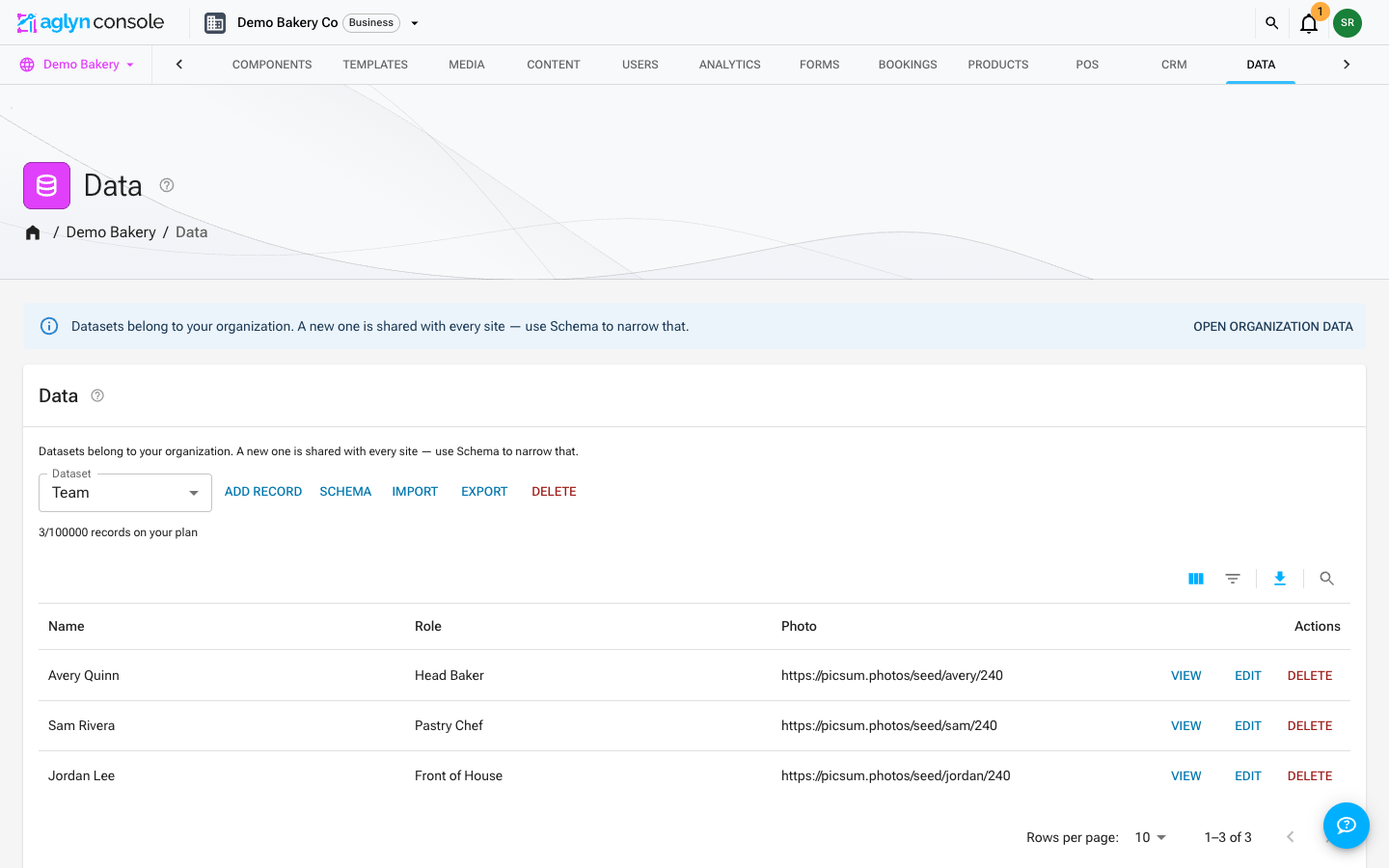
Datasets belong to your organization, not to a single site — every site in the organization shares the same collections. Manage them from the organization Data page (next to Media in the organization tabs), or from any site's Data page; both edit the same data. Dataset limits, storage, and add-ons are billed at the organization level.
Starter and above. Free plans have no data store; higher tiers raise the dataset and record caps, and extra-dataset add-ons are available.
Model builder
Define a model in the schema dialog with typed fields (text, number, date, reference, and more). The model is stored on the dataset itself. Every record written to the dataset is validated against it: added or imported in the console, written through the REST API, sent by a bound form, or written by an automation step. Each value is stored as its field's type — a number as a number, a date as a date — and a record with a value its field can't hold is not written. A form submission is still kept in the Inbox, with a chip saying which field was refused; an automation step records the run as failed and names the field. Records written as text before this check keep reading as they did.
Typed documents
Edit records in the typed document editor — each field renders the right input for its type, so data stays clean.
Filter and search the records
The records table filters through its own toolbar: Filters opens the filter panel, where each filterable field of the dataset's model is a column, and Search finds records by the words in their text. Each filter shows as a chip above the table, and removing the chip removes the filter. The panel and chips work as on every console list — see Filter and search a list.
Every filter and the search reach the whole dataset. They are answered by the database across every record, and the table pages through the matches exactly as it pages through the unfiltered dataset — nothing is matched only against the records already on screen. The records run in one stable order, by each record's ID — the same on every load, though not the order they were added in — and the column headers don't re-sort them. What each field type offers:
| Field | Filters |
|---|---|
| Text with a fixed list of options | is, is any of — picked from the options |
| True/false | is — picked |
| Number | = |
| Plain text | equals and is any of, ignoring case; contains a word |
| List | contains one of its entries, spelled exactly as stored |
Dates, references, maps, bytes, coordinates and null fields are not filterable, and no field offers ranges (greater than, before, after), is not, or is empty — the panel does not show what the database cannot answer this way.
Contains and search match the start of a word. kett finds Kettle; ttle finds
nothing. The search looks at every text field, option field and list of the record.
Each asks for one word: type several and the table uses the first and says so above
the records. A word is matched on its first 12 characters, a text value's first 40 words
are searchable, and equals compares the first 64 characters of a text value. A record
keeps at most 500 filter terms; past that, a very long record loses search words before it
loses contains words, and those before any exact value.
Combine as many is, equals, is any of and = filters as you like, but only one contains or search at a time. A second one — a contains while a search word is typed, or a contains on a second field — is not applied, and the table says which one and why above the records rather than showing a partial answer. Clear the search, or remove the other contains, to use it. Is any of takes at most 30 values, and several is any of filters together may ask for at most 30 combinations.
On a dataset created before field reference IDs were checked, a field whose ID contains a
character such as . or / offers only contains.
This needs no database index — nothing to deploy on a self-hosted project. Records keep
their filter terms in two fields every write keeps current: filterValues, one value per
filterable field, and filterKeys, the words a contains or a search looks for. Records
written before a field existed are found by the filters that read it only once it is
stamped onto them, which the operator does once per project:
# Dry run: counts what would change and writes nothing.
GOOGLE_CLOUD_PROJECT=<project-id> node tools/scripts/backfill-dataset-filter-keys.mjs

# Write.
GOOGLE_CLOUD_PROJECT=<project-id> node tools/scripts/backfill-dataset-filter-keys.mjs --apply
It uses Application Default Credentials (gcloud auth application-default login), is
safe to re-run, and --org=<orgId> limits it to one organization. Run it again after
changing a field's type or options in the schema dialog: a schema change does not rewrite
records, so until a record is edited or re-stamped its filter terms follow the old model.
Relations
Fields can reference other records, including many-to-many relations, letting you model real structures (posts ↔ authors, products ↔ categories).
Query layer
A dataset query layer powers both the editor and page bindings, so the same data is available to design-time previews and the live site.
Repeatable components
Point any element at a dataset and it renders once per record — a list, a grid or a gallery driven by your data. A card, an image, a row, a whole placed component: each one is copied per record, and an element that holds a list can repeat its contents instead, so the element stays the frame the items fill.
The Besigner draws the real copies on the canvas, from your real records and in the order the published page will render them, and a repeat badge names what an element repeats over and how many records it found. The copy you edit is the design; changing it changes all of them.
A filter, a sort and a limit narrow what renders, and a repeat renders at most 100 records however high the limit is set.
See Repeat over data for the full walkthrough.
Record pages
A dataset can also give every record a page of its own — a page per service, per
location or per team member, each at its own address such as
/services/kitchen-remodeling. You design one page and make it the dataset's record
template in the Besigner's Page Properties, under Record pages: pick the
dataset, the address the pages live under (one segment like services, or nested like
services/residential), and the field that holds each record's own segment.
- Each record's segment lives in a Page address field (see Build a data model). It can fill in from a name field, and it stays put when the record is renamed.
- Inside the template,
{{item.field}}fills in from the record, exactly as in a repeat, reference hop included. A listing that repeats over the dataset links to each page with{{item.url}}. - The template stops answering at its own address. Every record page is in the
sitemap with its own canonical address, and
/llms.txtnames the group. - Record pages and their template don't count toward your plan's pages; your dataset limits bound them instead.
See Service and location pages from a dataset for the full walkthrough.
Who a dataset is shared with
Datasets belong to the workspace, not to a single site, so one dataset can drive pages on every site you run. When that isn't what you want, the Sharing control on each dataset decides which sites can see it:
- All sites — everyone in the workspace, on every site.
- Selected sites… — pick the sites that share it, up to 30.
Where a new dataset starts depends on where you create it and on your workspace's Default sharing for new data and media, the setting at the top of the workspace Media page:
- Created on a site's Data page — it follows that setting. Set to All sites, the dataset starts on All sites. Set to Only the site they were created in, it starts shared with that site alone, and its control reads Selected sites… with just that site picked.
- Created on the organization Data page — it starts on All sites whatever the setting says, because there is no site to limit it to.
- Installed from the Marketplace, or created through the REST API — it starts on All sites too. Both act for the whole organization, not for one site.
The setting only decides where a new dataset starts. It changes nothing that already exists, and you can widen or narrow any dataset afterwards.
A dataset with no sharing stored is visible to no site; its control reads Not shared with any site until you choose one of the two.
This matters most for agencies. If you run three internal sites alongside twelve client sites, your rate card can be shared with the internal three and stay invisible to the clients — including to the client collaborators you have invited, who will not see it in the Data page, the pickers, or anywhere else.
Sharing is enforced on the server, not just in the console. A site cannot render a dataset it hasn't been shared with even if a page explicitly asks for it by name.
A few consequences worth knowing:
- Narrowing sharing can empty a live page. If a published page repeats over a dataset and you remove that site, the page renders with no rows. The console warns before saving a change that takes a site's access away.
- Reference fields need both sides. A reference from one dataset to another only resolves on sites that can see both, so the target's sharing has to cover the source's.
- Limits are workspace-wide. Your dataset and record allowances count everything the workspace owns, whether or not you can see it all. Sharing decides visibility, not billing.
- Deleting is a workspace action. A dataset shared with more than one site can't be deleted from a single site's Data page — narrow its sharing instead, or delete it from the workspace Data page.
Import & export
Datasets round-trip as CSV, JSON or NDJSON: export the fields you choose, edit them elsewhere, and import them back through a wizard that matches columns and records and shows a dry run before anything is written — see Import & export.
A whole-site export includes the datasets and media that site can see, and nothing else — an agency exporting a client site gets that client's data only. It carries up to 50 datasets and 1,000 records from each, so export a larger dataset on its own. On restore, everything comes back shared with the site you restored into, not with whatever it was shared with before. Widen it afterwards if you meant to share it. That direction is deliberate: a bundle can be restored into a different site or a different workspace entirely, and quietly re-publishing one client's data across another's sites would be far worse than an extra click.