Marketing Overlays
Marketing overlays are the announcement bars and popups that sit on top of your site to promote offers and capture emails — without touching your page designs. Manage them from your site's Marketing page, and see every site's at once from your organization's.
Paid, gated by the marketingOverlays entitlement.
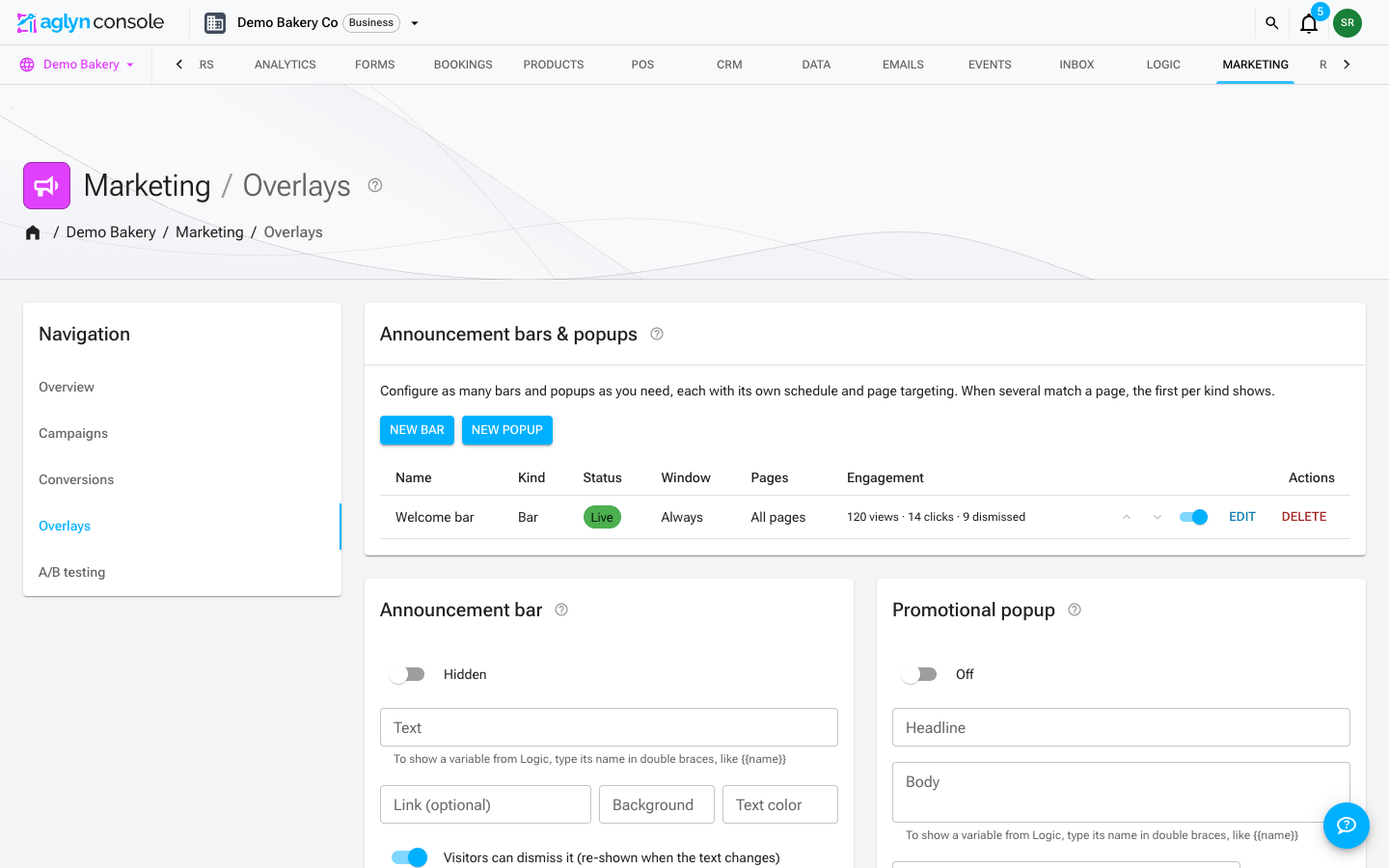
Announcement bar
A site-wide announcement bar shows a message across every page — ideal for sales, notices, or launches. It's controlled centrally and gated by the marketing-overlays entitlement. Its text can show variables and site details.
Promotional popups
Popups give you more control:
- Triggers — After a delay (a number of seconds), On scroll (a percentage of the page), or On exit intent.
- Frequency capping — don't nag returning visitors. See below.
- Scheduling — run a popup only during a campaign window.
Frequency: how often a popup comes back
In the popup editor, Frequency offers two mutually exclusive choices.
Once per session shows the popup at most once for as long as the visitor keeps the tab open. Close the tab, come back tomorrow — or open your site in a second tab — and they see it again. This is the right choice for a popup tied to the visit rather than to the person: a first-order discount, a cookie or age notice, a "we're closed today" message.
Re-show after a while takes a number of days — Re-show after (days), 7 by default — and hides the popup for that long after it is dismissed, across sessions and browser restarts. This is the right choice for a newsletter capture you do not want to ask twice for in a week.
Only one applies. Choosing Once per session hides the days field entirely, because a popup cannot be capped both ways.
The cap is remembered in the visitor's browser, not on your site — per-session in session storage, per-days in local storage. A visitor who clears their browser data, or arrives in a private window, is a new visitor as far as the cap is concerned. If storage is unavailable altogether the popup falls back to showing at most once per page view.
The cap is also per popup, keyed to its content. Editing a popup's content resets its cap, so an edited popup is shown again to visitors who had already dismissed the old one.
The Once per session choice is on the multi-overlay editor, where you manage any number of popups. The single always-on default popup card still offers only Re-show after (days).
Popup v2
The latest popup adds:
- Email capture — collect emails straight into your contacts and campaigns.
- Overlay metrics — impressions and conversions for each overlay.
- A media picker so popups can use images from your media library.
Multiple overlays, scheduling & page targeting
The Marketing page manages any number of bars and popups, each with:
- A schedule window (show from / show until) — run a bar only during a sale.
- Page targeting — comma-separated paths, with
/blog/*matching a whole section, plus a "never show on" exclude list. - An enable switch and a status chip (Live / Scheduled / Off).
When several overlays match a page, the first bar and the first popup (by order) show. The single announcement bar and popup on the same page remain as your always-on default surfaces; configured overlays take priority over them.
Write and create overlays with AI
With Aglyn AI on your workspace, two more controls appear here:
- Write with AI, among the overlay editor's fields, writes a bar's text or a popup's headline, body and button label from a brief, and for a popup suggests one of the triggers above. It fills the fields unsaved; Save is still yours.
- Create with AI, beside New bar and New popup, turns a brief into a new overlay that is saved switched off and opened in the editor, so no visitor sees it until you add its link and turn it on.
Neither writes a link, the pages an overlay shows on, its schedule or its on-switch. See Marketing with AI.
Variables and site details in copy
A bar's text and a popup's headline and body are filled in when the page renders:
- A variable — type its name in double braces, such as
{{saleEndsAt}}for a variable namedsaleEndsAton the Logic page. Saving stores the variable's id, so renaming the variable later does not break the copy. - A site detail —
{{host.businessName}}and the other site details. A detail the site hasn't set renders as nothing.
A token nothing fills in, such as a name no variable carries or a function call, would reach visitors exactly as typed, so the field turns red and names it. A date variable shows as a date, not as a live countdown.
Engagement stats
Each overlay tracks its own lifetime views, clicks, and dismissals, shown in the Engagement column of the overlays table — so you can tell whether a bar earns its screen space. Dismissals persist per visitor: a closed bar stays closed until you edit its text.
With Google Analytics connected, the same events also land
in your own GA property as aglyn_overlay events (with the overlay id and action), so
you can segment sessions by overlay engagement.
Across your organization's sites
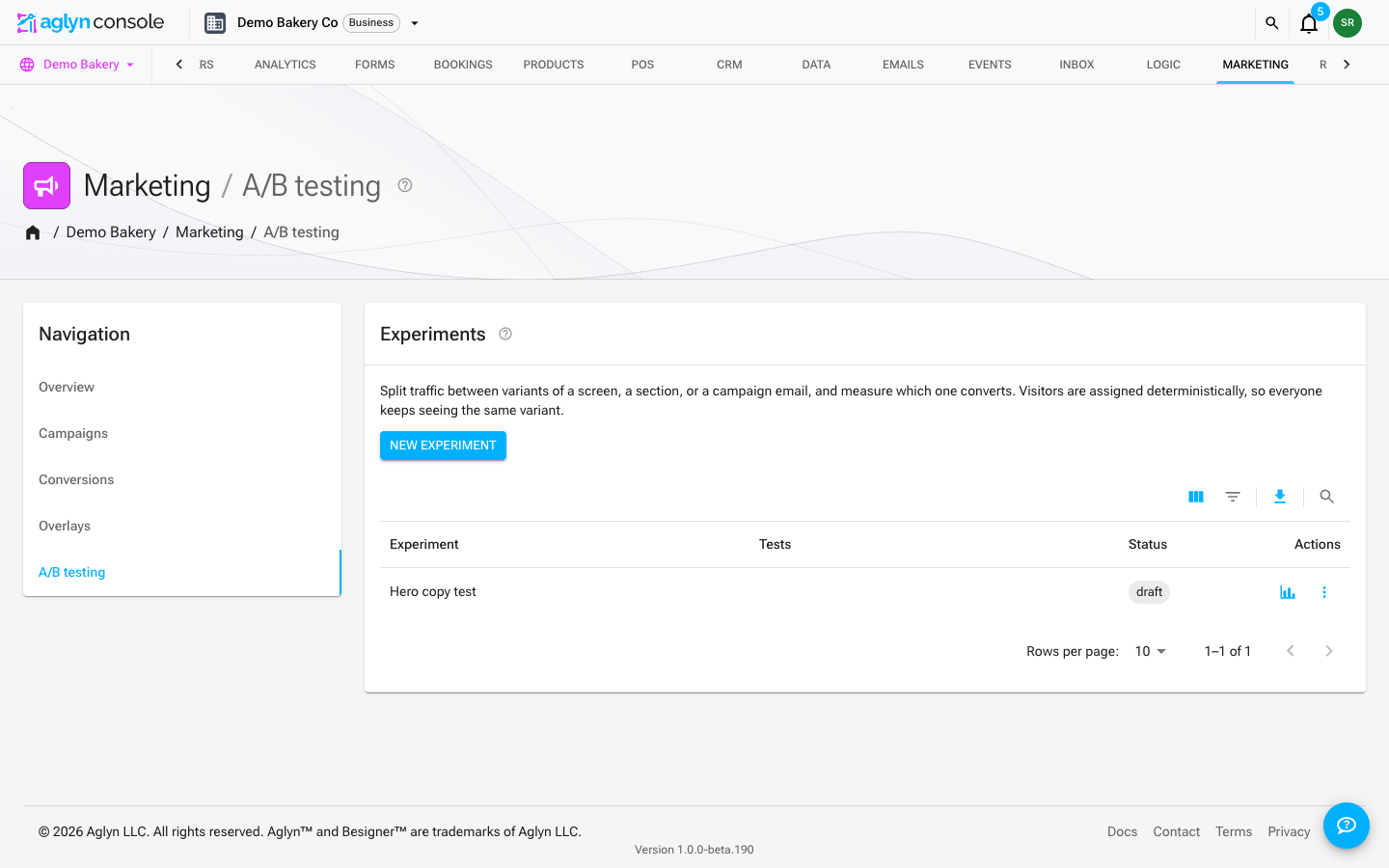
Your organization has its own Marketing page beside CRM, with the same sections as a site's — Overview, Campaigns, Conversions, Overlays and A/B testing — each answering for every site at once. It opens on Overview.
- Overview leads with the email figures for every site's sends, then lists your sites one per row with their overlay views and clicks and their running and decided A/B tests, totaled underneath. A site's name opens its own Overview, which also counts the overlays live right now. The table covers your first 25 sites; a site past that has its figures on its own page.
- Overlays lists every site's bars and popups, grouped by site in the order each site shows them, with whether that site's default bar and popup are on. Switch an overlay on or off right from the list. Creating and editing happen on the site — New overlay asks which site, and Edit opens that site's Overlays section — because an overlay is written against one site's pages, variables and order. Ten sites show at a time, with up to ten overlays each; a site with more says so and links to its own list.
These figures and lists are read when you open the section rather than kept live, so open
it again to see a change made somewhere else. Without the marketingOverlays entitlement
the organization's Overlays section is locked, and the Overview leaves the overlay
columns out.