Troubleshoot verification
If Verify & connect won't go green, it's almost always DNS. Work through these.
Starter and above.
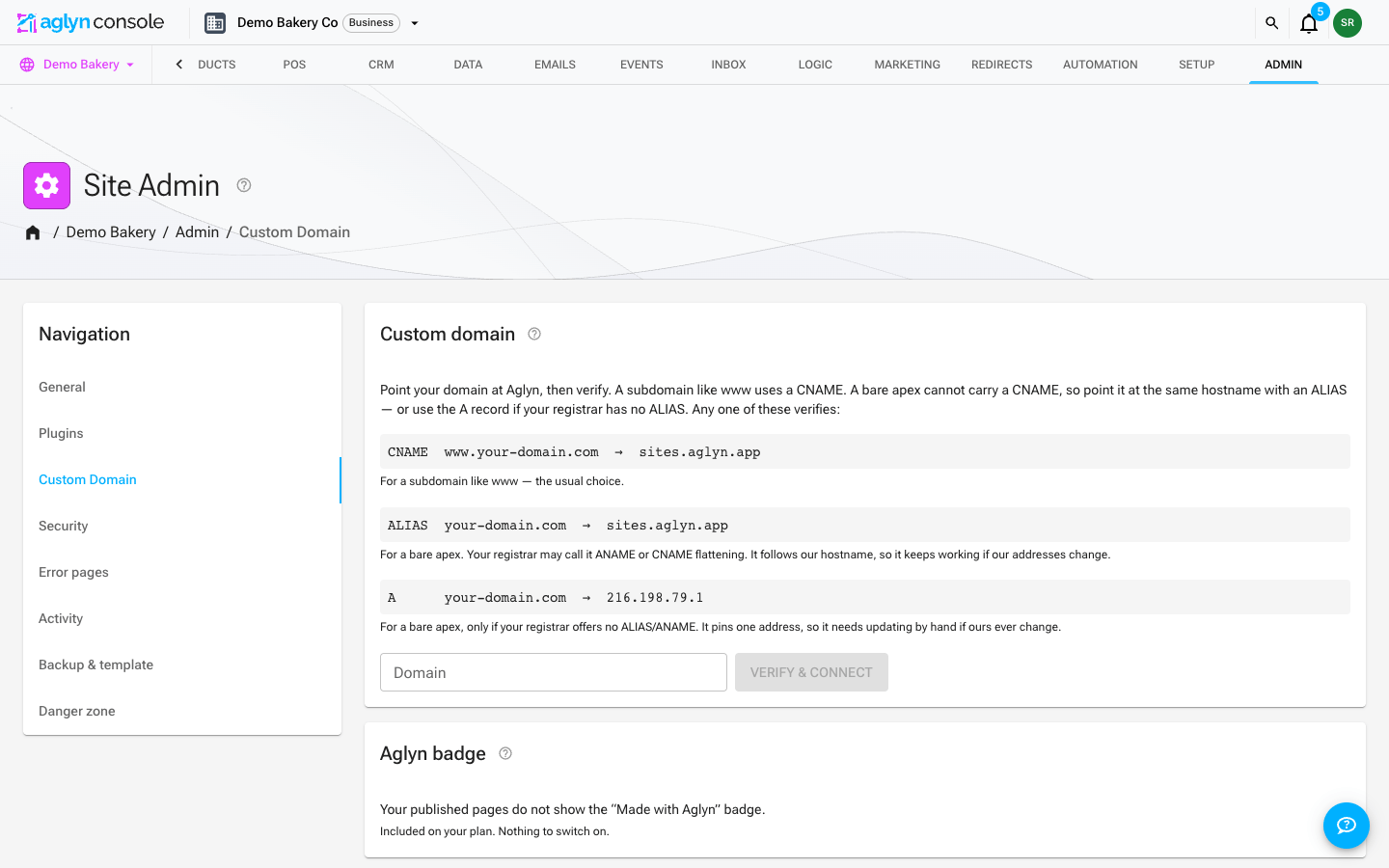
Checklist
- Give it time. DNS changes propagate on a TTL — wait a few minutes and press Verify & connect again. Aglyn resolves your record through public DNS resolvers, so a change your registrar shows as saved can still take a while to be visible.
- Read the message. A failed verify tells you what it found: either the record it saw and the target it expected, or that no record exists yet. That's usually the whole diagnosis.
- Match the record to the name.
- A subdomain (
www.example.com) needs a CNAME tosites.aglyn.app. - A bare apex (
example.com) needs an ALIAS/ANAME tosites.aglyn.app— an apex cannot carry a CNAME, and Aglyn verifies it by the addresses it resolves to. - If your registrar offers no ALIAS/ANAME, use an A record to
216.198.79.1instead. It verifies the same way. If an apex that used to work has stopped resolving, check this address is still the one in your zone — an ALIAS never needs that check, which is why it's the first choice.
- A subdomain (
- Remove conflicting records. Delete any old A/AAAA/CNAME records for the same
host that point elsewhere. Two cases bite hardest:
- An apex with a wrong CNAME (some DNS hosts allow one) never falls through to the A-record check — remove the CNAME so the A record can be evaluated.
- A stale A record left over from a previous host answers alongside your ALIAS and wins unpredictably — delete the old A record outright.
- Disable proxying temporarily. If your DNS provider proxies traffic (e.g. an orange-cloud toggle), the record resolves to the proxy's addresses instead of Aglyn's. Turn it off until verification succeeds.
Verified but not serving?
Verification and attachment are separate steps under one button, and the chip next to your domain says which one you are waiting on — see the chip table for all of them. The three that come up most:
- "— issuing certificate" is not a problem. DNS is right and the domain is attached; the certificate takes a few minutes. Press Check status rather than reconnecting. A security warning in the browser during this window is expected and goes away on its own.
- "— ownership check needed" means your domain is registered to another account on
our hosting platform. The card prints a
TXTrecord — add it at your registrar exactly as shown, then press Re-attach. Nothing else will release the domain. - "— not attached" means the domain is saved on your site but not on the serving platform. Press Retry attachment. If it keeps returning, the domain is held somewhere else and support needs the domain name to release it.
If connecting answers "That domain is already connected to another site", the domain is attached to a different Aglyn site — every domain can serve only one. Disconnect it there first.
The site loads for some people and not others
That is almost always two records answering for the same name — typically an A record
left behind by a previous host sitting next to a correct ALIAS. DNS hands out one or
the other, so it looks fine every time you try it.
Aglyn names the offending records: Verify & connect warns about addresses that are not ours, and the card keeps showing them under the chip afterwards, even while the domain is live. Delete them at your registrar; nothing needs reconnecting once they are gone.
Still stuck?
Confirm the record resolves from your machine (dig www.example.com CNAME or
dig example.com A), then press Verify & connect again.
Two different checks run, and it helps to know which one you are reading. Verify & connect is the one that decides whether a domain may be connected at all, and it runs only when you press it. Check status asks the serving platform what the domain is doing right now — including whether DNS still points here — so a record you changed after connecting shows up there rather than needing a disconnect and reconnect.