Multilingual
Reach a wider audience by publishing your site in more than one language.
Pro and up. Multilingual is on Pro and Custom. Every plan can set the one
language its site is written in: enter a single code (for example es) in
Languages and save. A second language needs Pro.
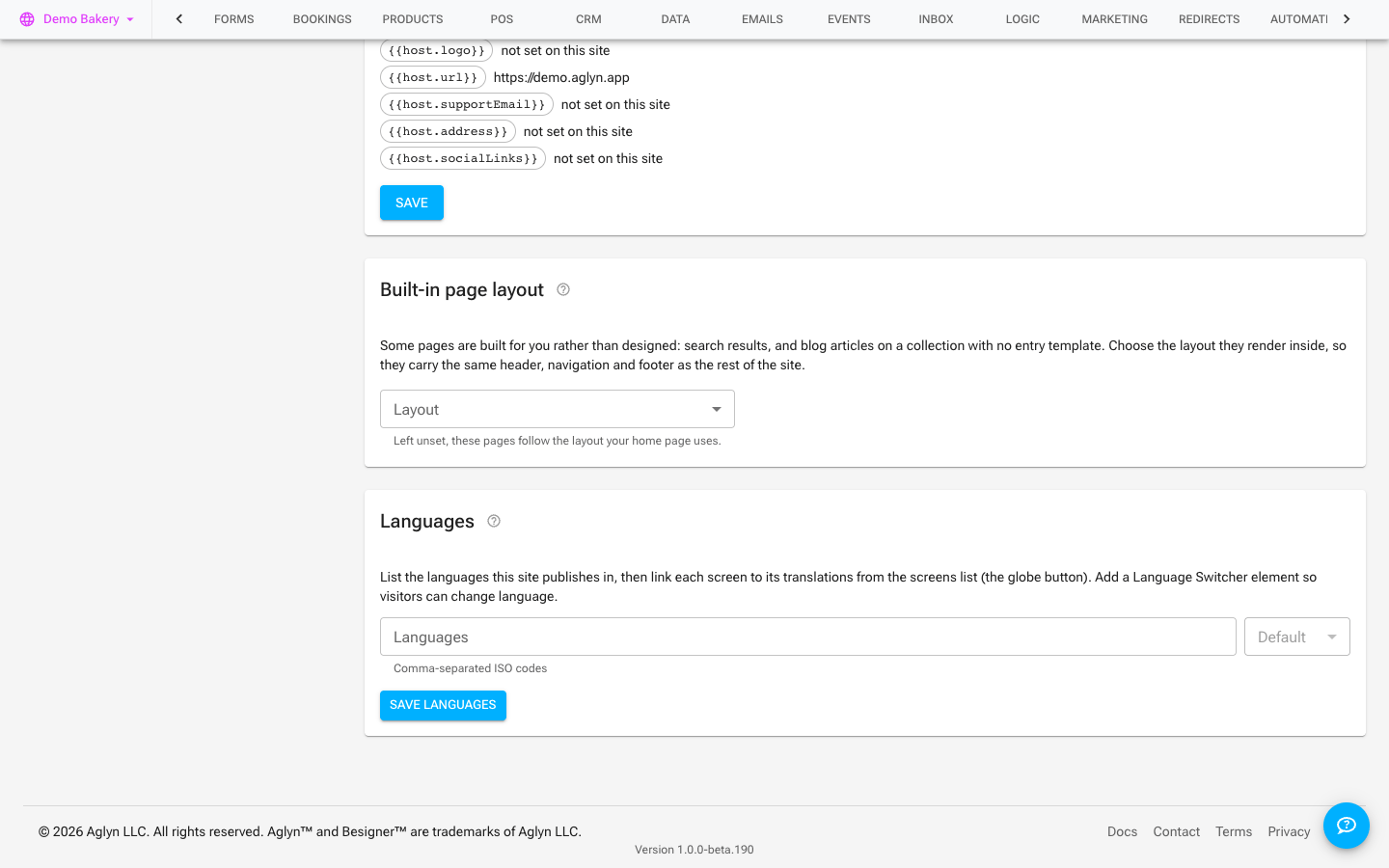
The Languages card
The Languages card in Setup lists the languages your site publishes in: type their
codes, comma-separated (en, es, fr), pick the Default, and press Save languages.
Then link each page to its translations from the Pages list (the globe button), and add a
language switcher so visitors can change language.
The default is the language your site declares on every page — see What language your site says it is in.
Locale variants
Create locale variants of your content so each language has its own version, while sharing the same structure.
hreflang & discovery
Aglyn emits hreflang tags so search engines serve the right language to the right
visitor, and the same set reaches social networks as og:locale — the language this
page is in — plus one og:locale:alternate for each language it is translated into.
A language reaches both only once its variant is a published page: a locale you have added but not yet translated is never advertised as a translation that exists.
Language switcher
Add a language switcher so visitors can move between locales themselves.
Text direction
Pages are laid out left to right in every language. Right-to-left sites, for languages such as Arabic, Hebrew, Persian and Urdu, are not supported yet: you can publish a page written in one of them, but its layout stays left to right.
- Add a locale
- Add a language switcher
- Translate with Weglot — your own Weglot account translates pages in the visitor's browser (for visitors, not for search ranking)
This is multilingual v1.