Redirects
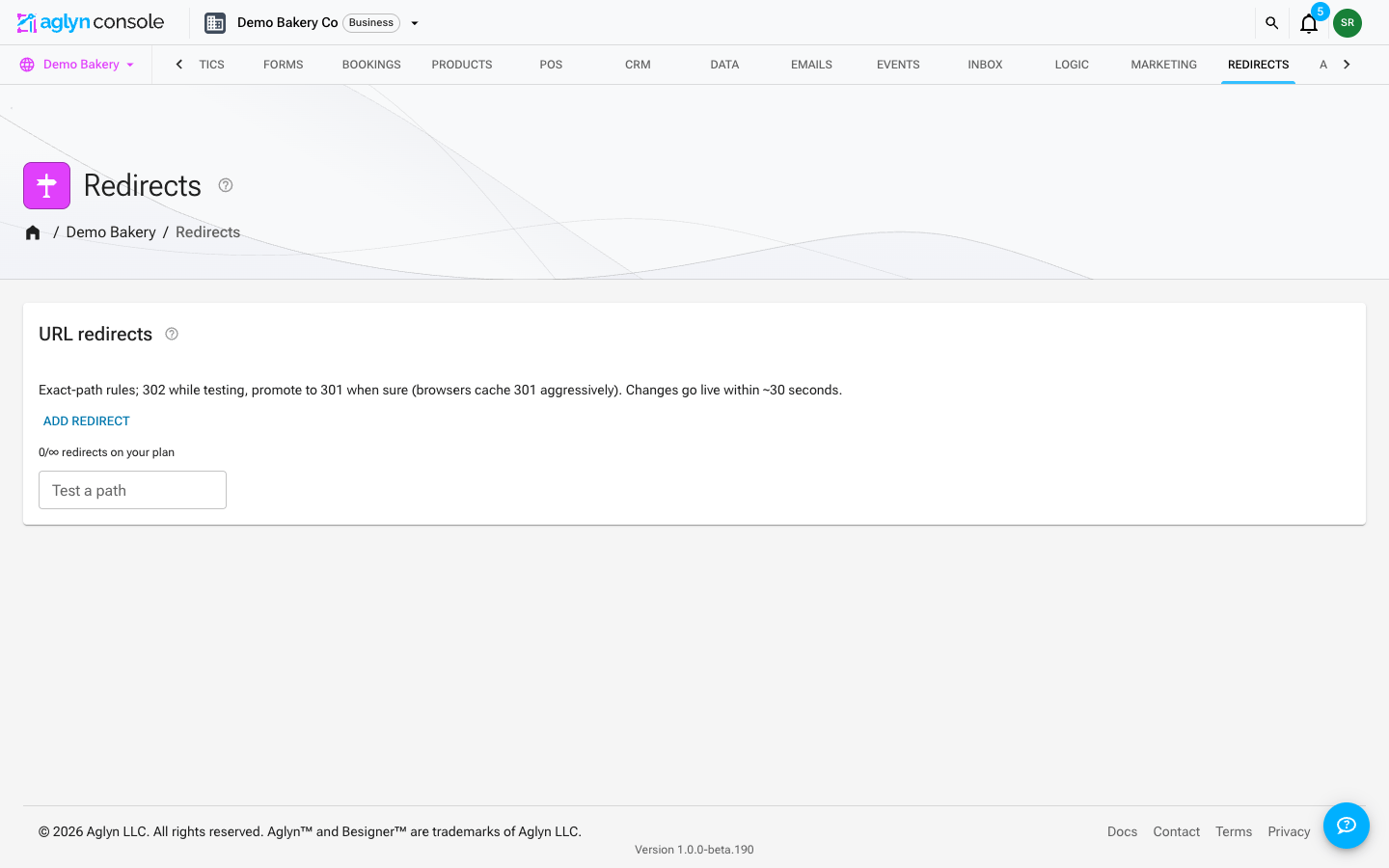
The redirect manager sends old or alternate URLs to the right place — essential when you rename pages or migrate a site.
Paid. The redirect manager is a paid feature.
Manage redirects
- Create, edit, and delete redirect rules from the redirect manager page.
- Rules are validated on save, with chain-loop and page-collision checks so a redirect can't send visitors in circles or shadow a real page.
- The published site enforces redirect rules during route resolution.
A redirect changes what the live site serves at an address, so it takes a publishing role — Editor or Admin. The Author role can see the redirects page but cannot add, change or remove a rule. See Teams & roles.
Sending visitors to another site
A destination can be an internal path (/pricing) or an absolute https:// URL —
useful for vanity domains and campaign links.
Because an off-site destination sends your visitors somewhere you don't control, the published site only follows one after a publishing role has saved the rule. A rule with an external destination that nobody has confirmed shows a not serving badge on the redirects page and is skipped until an Editor or Admin opens it and saves. Internal destinations are never affected.
An off-site destination also passes the same safety review as a published page. A destination whose address looks like another company's website can't be saved. A redirect that is held for review does not redirect until our review team releases it, and its owners get a notice that names it; see Holds and reviews.
Import and export
Import and Export sit at the top of the URL redirects card and work on the site you have open. Like adding a rule by hand, importing takes a publishing role (Editor or Admin) and a plan that includes redirects.
Export writes every rule on the site as CSV, JSON or NDJSON. You pick the columns and their order; the default (Re-importable) puts the Aglyn ID first so the file can come back in and update the same rules. Deleted rules are never exported.
Import takes a CSV, JSON or NDJSON file of up to 5,000 rules.
Columns
| Column | What it holds |
|---|---|
| Aglyn ID | The rule's ID. Exported, and used on import to find the rule; never changed by a file. |
| From path | Required for a new rule. A path like /old-page, saved the way the manager saves it: lowercase, without a trailing slash or a query string. For a regular expression rule, the pattern. |
| Kind | exact, prefix or regex; Path prefix and Regular expression work too. Blank means exact. |
| To | Required for a new rule. A path on your site or an https:// address. |
| Status code | 301, 302, 307 or 308. Blank means 302. |
| Priority | A whole number; lower fires first. Blank means 100. |
| Enabled | Yes or no. Blank means on. |
| Hits in the last 30 days, Last hit, Off-site destination approved by, Created, Updated, Created by | Exported only. |
Columns from Shopify (Redirect from, Redirect to), the WordPress Redirection plugin (source, target, code), Yoast SEO (Origin, Target, Type), Wix (Old URL, New URL) and Webflow (Old path, Redirect to path) are recognized by name.
How a row finds an existing rule
- By its Aglyn ID, when the file has that column (an exported file does).
- Otherwise by its from path within its kind, read the way the manager saves it,
so
/Old-Page/finds the exact rule for/old-page. An exact rule and a prefix rule can share a path, so a row without a kind finds the exact one.
A row that finds no rule creates one. A deleted rule is never found. Two rows for the same path refuse the second. The Matching step shows the rule each row will update, found this way, so a path with both an exact and a prefix rule is not reported as ambiguous.
Conflicts, the dry run and undo
When a row finds a rule that already exists, the import starts by overwriting it with
the file's values: a redirect file says where each path goes, so re-importing one with a
new destination points the rule there. A blank cell still leaves the rule's value alone.
You can change this per column on the Conflicts step: choose Fill blanks to keep
what the site has and only fill empty fields, or Keep existing. You can also skip
matched rows instead of updating them. Values are compared the way the manager saves them,
so /Old-Page/ against /old-page is not listed as a conflict.
Before anything is written, the Review step is a dry run, and it checks every row the way the manager checks a save:
- A row is refused when the manager would refuse the rule: a path or pattern it can't
use, a destination that isn't a site path or
https://address, one whose address looks like another company's website, a path redirected to itself, a second rule for a path that already has one, or a destination that chains back to the rule (a loop) — counting the rows above it in the file, as if they were saved in order. - A row is flagged for you to acknowledge when its destination is another site — the import approves that destination in your name, the same approval saving the rule yourself gives — when its destination is itself redirected (a chain), when it leads into a loop other rules make, or when its from path is a published page.
- Rules past what your plan allows are held back.
An import can be undone for seven days. Undo removes the rules the import created and puts back the values it changed. A rule someone edited after the import is shown to you first, and you choose whether to keep the edit or undo it.
Imported rules go live within about thirty seconds, like rules saved by hand, and the list updates on its own.
Metrics
Each rule tracks hit metrics (sampled), so you can see which redirects are actually used and prune the ones that aren't.
Match modes (v2)
Rules match one of three ways:
- Exact path — the original mode;
/old-pageonly. - Path prefix —
/blogcatches/blogand everything under it (/blog/post-1), but not/blogging. - Regular expression — anchored to the whole path, with capture
groups substituted into the destination: pattern
/product/(\d+)and destination/products/item-$1sends/product/42to/products/item-42. Invalid patterns are rejected at save and can never take the site down.
When several rules match, the lowest priority number fires first. Use the inline tester at the bottom of the redirects card to paste a path and see exactly which rule (if any) catches it — it runs the same matcher the live site uses.