Custom Domains
Every site starts on an Aglyn subdomain. When you're ready, connect your own domain —
a subdomain like www.example.com or the bare apex example.com — self-serve, from the
site's Admin page.
Plan availability
Starter and above.
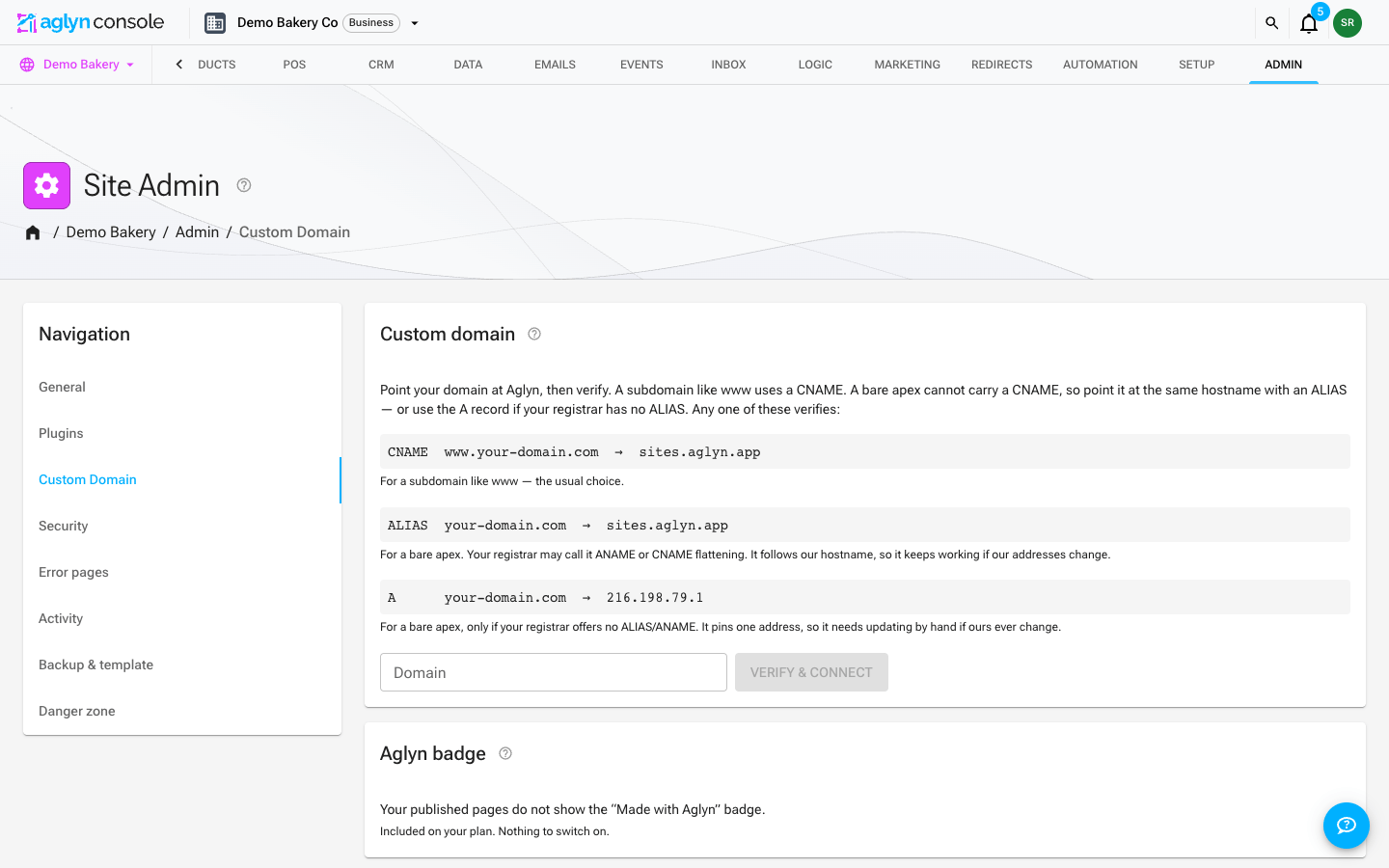
Connect a domain
- In Admin, choose Custom Domain in its navigation.
- Add one DNS record at your registrar — a CNAME to
sites.aglyn.appfor a subdomain, or an ALIAS/ANAME to the same hostname for a bare apex (an A record where your registrar offers no ALIAS). - Type the domain into the Domain field and press Verify & connect. Aglyn checks DNS and connects the domain in the same click; SSL provisions automatically.
Each site carries one custom domain, shown as a chip on the card with Re-attach
and Disconnect actions beside it. Once it serves, your *.aglyn.app subdomain
redirects to it, path preserved, so old links keep working.
How-tos
- Connect a domain — steps, apex records (ALIAS first, A as the fallback), and what happens after
- Troubleshoot verification