Bindings, Variables & Functions
Bindings put live values into your content. Instead of hard-coding text, you reference a variable, a function result, or a dataset field, and Aglyn resolves it when the page renders.
Free to start, with plan caps on the number of variables, functions, and workflows.
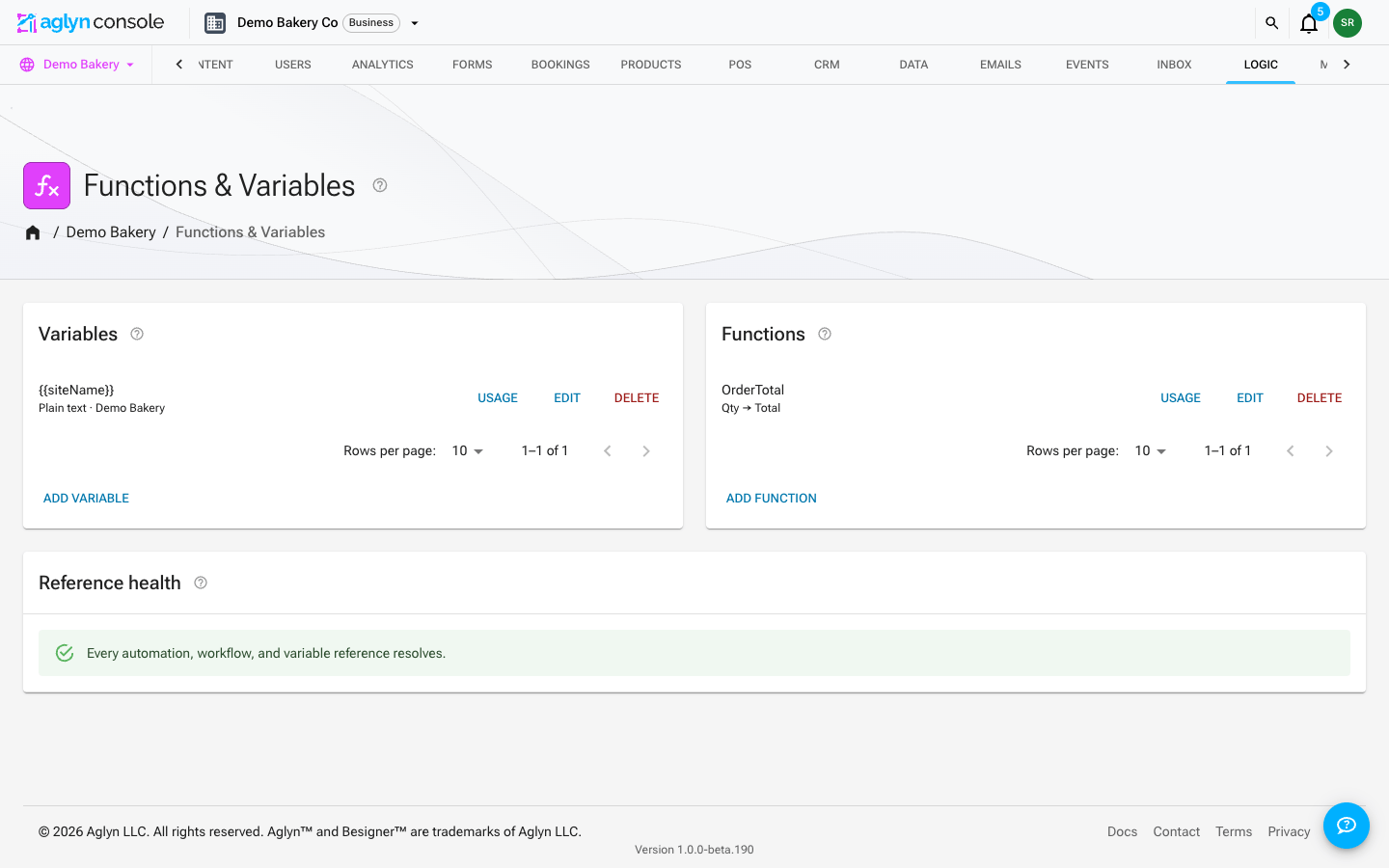
Binding tokens
Bindings appear inside text props as tokens:
| Token | Resolves to |
|---|---|
{{name}} | A site variable. |
{{fn:name(args)}} | The result of a function. |
| Dataset field bindings | A value from a dataset record. |
The Besigner resolves bindings WYSIWYG on the canvas and marks bound content so you can
see what's dynamic. That includes the shared layout around a page, and the inside of a
placed component or form, which show the same values the published page shows. The
{ } button in the canvas toolbar switches to the raw tokens and back.
Rename-safe id tokens
Bindings reference variables and functions by id, not by name. That means renaming a
variable doesn't break anything that uses it. A typed {{name}} is converted to its id
form when you save or publish, wherever you typed it: an attribute field, the canvas, Raw
JSON, or an element's Edit JSON. Imports are converted automatically. The conversion
happens on the canvas too, as one step that Undo takes back. A published page resolves
only the id form, so a name token that was never converted — because no variable had that
name — shows exactly as typed.
Insert a variable
You never have to hand-type token syntax. Every text-capable attribute field in the
Besigner (Text, Link URL, Image URL, …) has a small {x} insert button at its end.
Click it to open the data picker — a searchable menu grouped by source:
| Group | Tokens | When it appears |
|---|---|---|
| Variables | Your site variables (inserted as rename-safe id tokens) | When the site has variables |
| Functions | Your functions, with parameter placeholders | When the site has functions |
| Site | The site's own details — see Site details | Always |
| Entry | Collection-entry fields — Title, Excerpt, Link URL, Published date, … | Always (hint shows where they resolve) |
| Collection | Collection name and slug | Always (resolves on collection pages) |
| Dataset item | The fields of the repeated dataset, by display name | Only inside a repeating container |
Picking an option inserts the token at your cursor, keeping the text around it — so
you can compose values like Read “{{entry.title}}” → or
https://example.com/blog/{{entry.slug}} by mixing typed text and inserted placeholders.
Pick again to keep concatenating; the cursor lands right after each inserted token. Each
variable option shows a live value preview so you can confirm what the binding
resolves to before inserting it.
Selected text is replaced by the inserted token, and the element-level Insert binding button on text elements opens the same picker (appending to the element text).
Token pills
Placeholders never show up as raw {{...}} syntax while you edit — each one renders
as a small colored pill carrying the binding's current display name. Variables,
functions, entry fields, collection fields, and dataset items each get their own
stable color, so a glance tells you what kind of data a pill resolves to. Under the
hood the stored value still keeps the rename-safe id token: the pill is pure
presentation, which is why renaming a variable instantly relabels every pill without
touching your content.
- Click a pill to act on it: Replace reopens the data picker and swaps the token in place, Remove deletes it from the text.
- A pill whose referent no longer exists (a deleted variable, an unknown token) renders in a warning color, with the raw token as its tooltip.
- Typing raw
{{...}}by hand still works — the token becomes a pill when the field loses focus.
In the canvas text editor
Double-clicking a text element opens the inline text editor right on the canvas —
and it speaks pills too. Existing tokens render as pills the moment the editor
opens, the toolbar's {x} button opens the same grouped data picker (with the
element's own context: dataset items inside repeating containers, entry fields
inside Collection entries blocks), and clicking a pill offers the same
Replace/Remove. Rich-text elements keep their formatting toolbar — pills sit inline
with bold, italic, links, and lists, and everything serializes back to plain token
syntax when the edit commits.
The picker is a convenience, not a requirement — typing {{...}} tokens by hand keeps
working everywhere, and typed {{name}} tokens are normalized to rename-safe id form on
save.
Everywhere else the console references logic by entity, it uses pickers that store ids, never typed names: workflow steps pick their function, automations pick their workflow/dataset/webhook, and computed variables pick their workflow. Renaming an entity never breaks anything that references it — the display name is just a label.
Site details
{{host.*}} tokens name the site itself instead of hard-coding it, so copy stays right
when the site is renamed, and a template installed on another site fills in that site's
details.
| Token | Fills in |
|---|---|
{{host.businessName}} | Setup → SEO → Entity → Name, or the site name when that is empty |
{{host.url}} | The site's address — its custom domain when one is connected |
{{host.supportEmail}} | Support email, from Setup → Details → Business details |
{{host.address}} | Postal address, from the same card |
{{host.socialLinks}} | The labels of the card's Social links |
A detail the site hasn't set renders as nothing, never as the token. The canvas and Preview fill these in from the site you are editing, exactly as the published page does. In a field, the token shows as a pill named after the detail, such as Business name.
Typed variables
Create typed site variables and reference them as {{name}} in any prop. Types keep
values consistent across the site.
No-code functions
Build functions in the in-editor function builder with a safe evaluator — no arbitrary
code execution. Compose variables and other functions, and call them inline with
{{fn:name(args)}}.
A function is parameters in, numbered if / then / otherwise steps, and one value out. Inside a step, an expression can use:
+-*/and parentheses, on numbers;+also joins text.- Any site variable, by its name. A function that prices a plan can read
extra_site_pricedirectly, so changing the variable changes every page and every calculator that uses it. A function can read a variable and never set one, and a parameter or local variable with the same name wins. - A dictionary variable's members, as
name.member. Keep one dictionary per plan —{"name": "Pro", "annual": 39, "sites": 3}— and readplan_pro.annual. A text variable inside the function can hold a copy of one (chosen = plan_pro), so the function can pick a plan and then readchosen.sites. - These built-ins:
min(a, b, …),max(a, b, …),round(value, places),floor(value),ceil(value),abs(value), andformat(value, places), which writes a number with thousands separators —'$' + format(1396)is$1,396.
There are no loops and no way to add a built-in, which is what keeps the evaluator safe to run on a page.
Create with AI on the Functions and Variables cards writes one from a description, and a saved function's editor can explain, change or fix it — each opens unsaved in the editor. See Functions and variables with AI.
Parameters a visitor can answer
When a function is placed on a page in a
Function Widget, each parameter becomes an input. Under
What visitors see in the function builder, give a parameter a Label (instead of
its identifier), a value it Starts as, and Choices written as
value: Label, value: Label. A parameter with choices is asked as a list, a number as a
number box, and a true/false as a switch.
A widget runs in the visitor's browser, so the function's definition is part of the page, along with the site variables that function names — and only those. Do not put anything in a function, or in a variable a widget's function reads, that a visitor should not be able to see.
A calculator you lay out
A Function Widget draws a whole calculator for you: the inputs in a row, a button, the result. When the design is yours — a number box with quick picks beside it, two questions asked as lists, a table whose rows a filter removes, one row highlighted, a sentence under it — build it from four elements instead, all under Input in the Elements panel. They, and the Function Widget, come from the Calculators plugin, installed from the marketplace:
- Place a Calculator and give it the function's name. It is an ordinary container.
- Inside it, place a Calculator Input for each question and name the parameter it asks. Two inputs may ask the same parameter, and they stay in step.
- Place a Calculator Result wherever a value belongs and name the parameter or variable it shows. Style it like any text.
- Wrap anything that should appear only some of the time in a Show When and name the value that decides it.
The function does the arithmetic and decides what shows: give it a local variable for every figure on the page, and a true/false for every row a filter can turn off. The layout between those elements is whatever you build.
Where-used & safety
Before you rename or delete a variable or function, run the where-used scan to see every page and prop that references it, so changes are safe.
Workflows
Variables and functions compose into workflows — multi-step logic triggered by site events. See Workflows & actions.